
Every course you complete adds to your knowledge. But some courses say more about where you want to go professionally—the specialty you’re deepening, the skills you’re developing, or the work you’d like to do more of.
Now, you can bring that part of your learning story to your LinkedIn profile. Our new feature makes it easy to add Wisdify CPE certificates to LinkedIn, helping you showcase your expertise and the areas where you’re actively building it.
Make Your Learning Part of Your Professional Story
Your LinkedIn profile tells people about your experience, interests, and ambitions. Adding selected CPE certificates gives that story more detail. Alongside your job titles and work history, you can highlight the subjects you’re investing time in understanding.
For colleagues, clients, and prospective employers, those details can be useful conversation starters. They offer a glimpse into the knowledge you’re developing and the direction you’re taking your career.
Choose What You Want to Be Known For
You don’t have to share every certificate you earn. Your continuing education might cover a broad range of topics, while your professional goals are more focused.
Perhaps you want to highlight courses in healthcare accounting because you’re looking for industry opportunities, or growing that side of your practice. Maybe you’re exploring ethics, financial reporting, or another area you’d like to make a bigger part of your work. You can choose the certificates that support the professional identity you want to build.
Think of it as curating your learning story: deciding which achievements deserve a place on your profile because they reflect what matters to you.
Show Where You’re Growing, Too
You don’t need to be an established specialist to share what you’re learning. A certificate can also show curiosity, initiative, and a commitment to developing your knowledge in a new area.
That’s especially valuable when you’re working toward a career change, expanding your responsibilities, or exploring a new specialty. The courses you choose to highlight can help people see where you’re headed, alongside what you’ve already done.
How to Add a CPE Certificate to Your LinkedIn Profile
Once you’ve completed a course you want to highlight, adding its certificate to LinkedIn takes just a few steps.
Step 1: Choose the Certificate You Want to Share
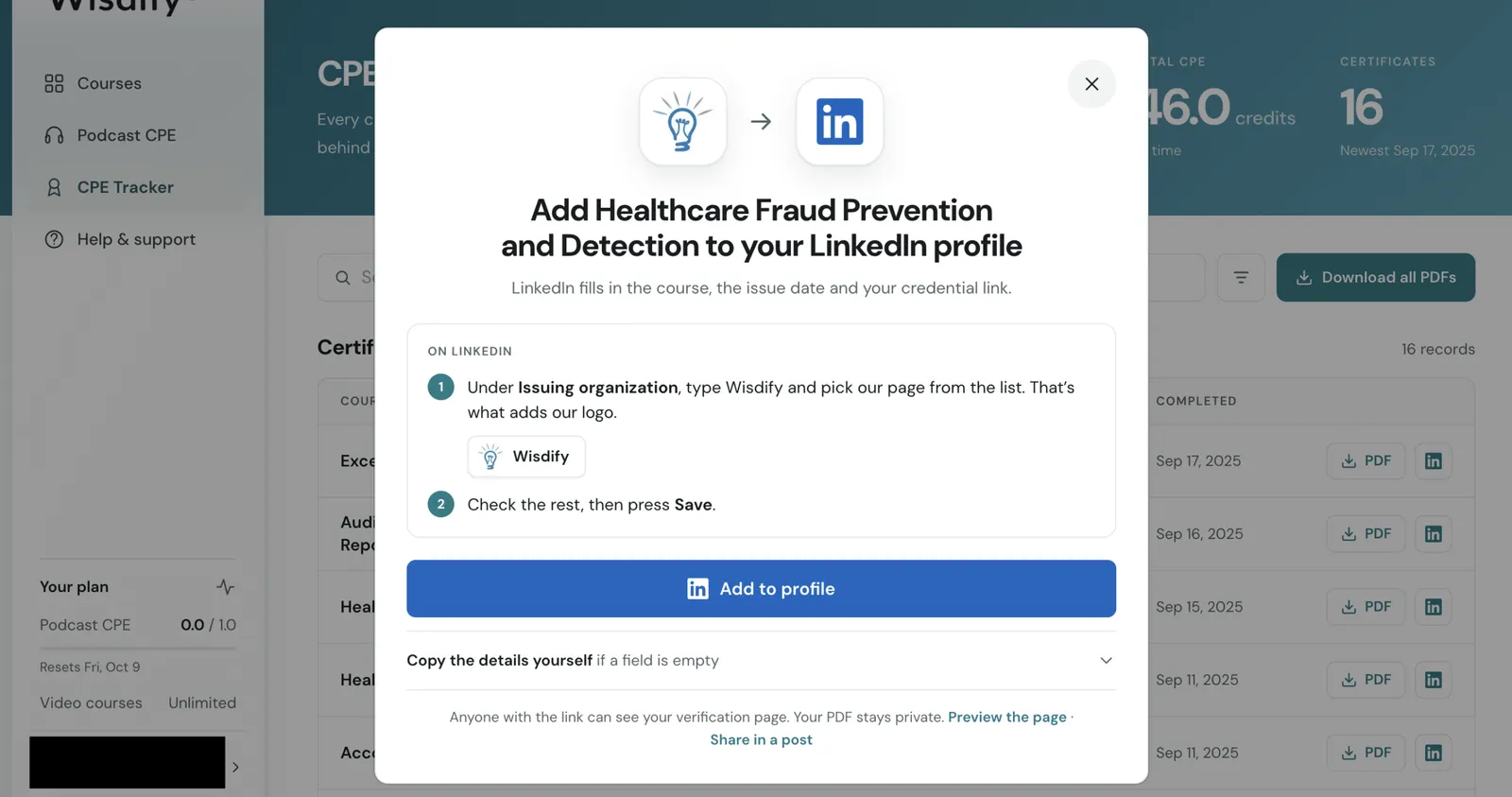
Open your CPE Tracker in Wisdify and click the LinkedIn icon next to your chosen certificate. Then click Add to profile to continue to LinkedIn.
Step 2: Review Your Certificate Details
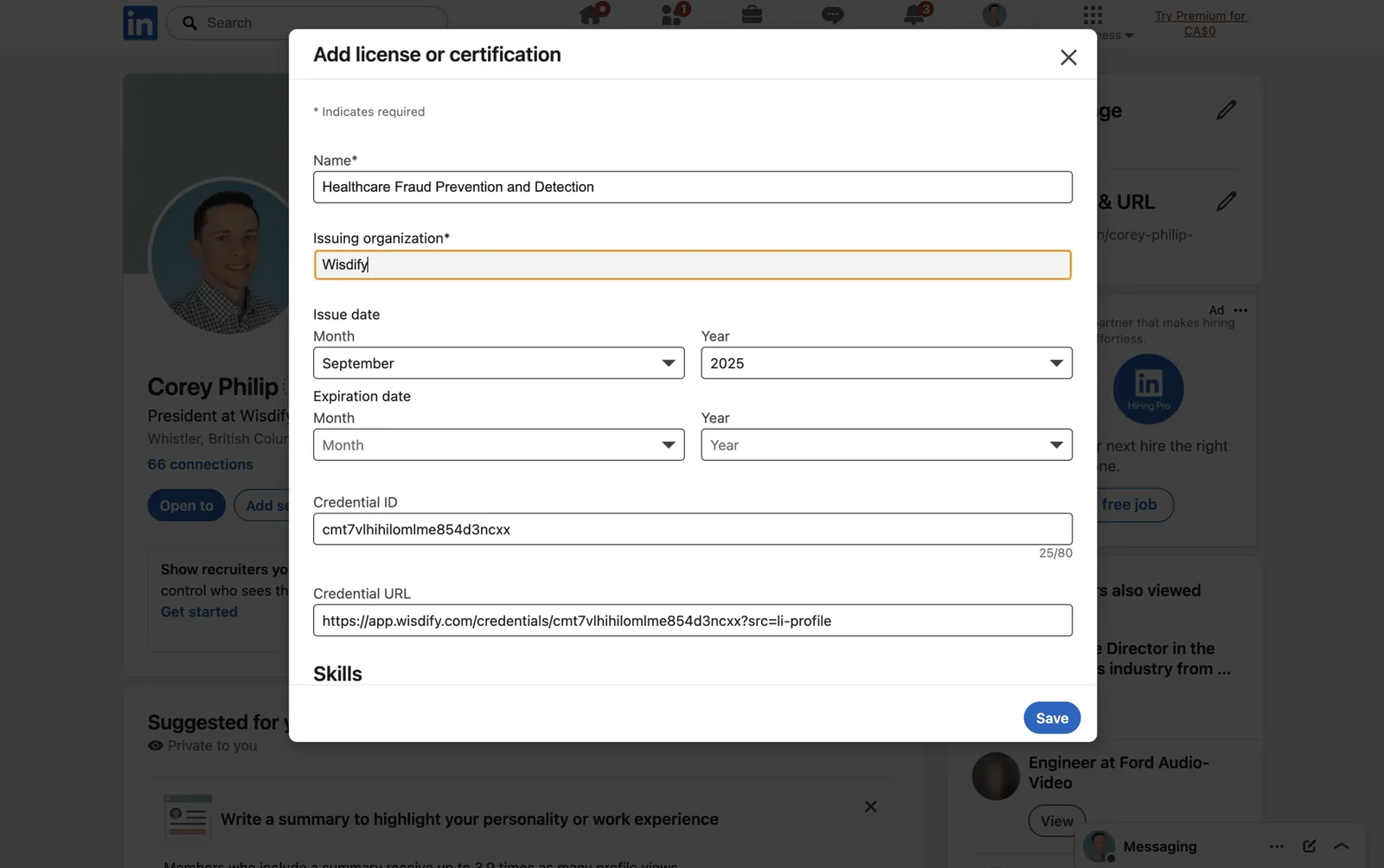
The course name, issue date, and credential link are filled in for you. Under Issuing organization, type Wisdify and select our page from the dropdown so our logo appears alongside your certificate.
Review the remaining details, then click Save. If a field is empty, you can use the Copy the details yourself option in Wisdify to get the information you need.
Step 3: Put Your Learning on Display
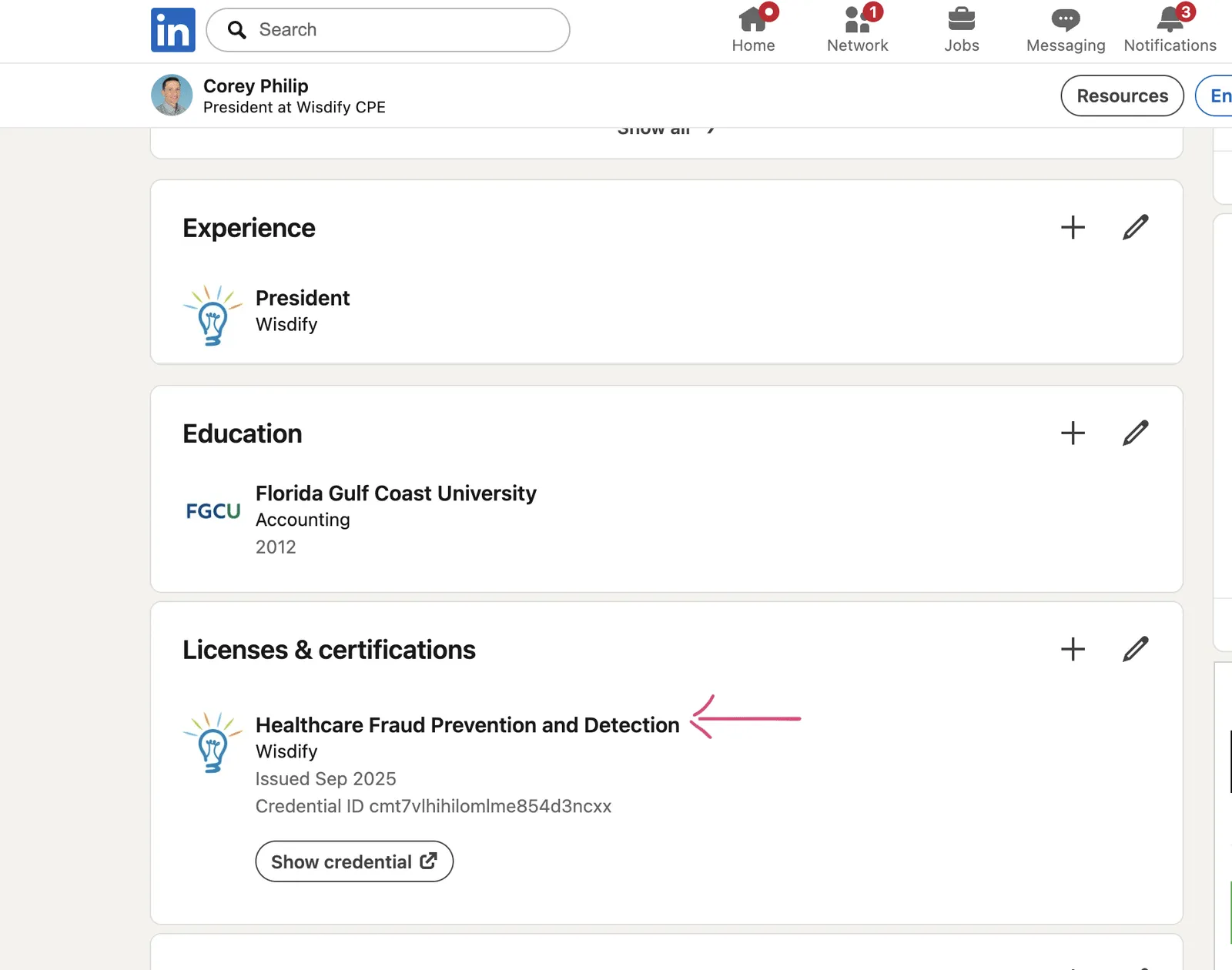
Your course will appear in the Licenses & certifications section of your LinkedIn profile, with a Show credential link that lets visitors view your Wisdify verification page. Your certificate PDF stays private.
In the example below, Healthcare Fraud Prevention and Detection highlights learning in a specific subject. You can do the same with courses that reflect your current focus or an area where you want to grow.
Let Your Learning Tell Your Story
You’re putting time and effort into your professional development. Now you have another way to make that effort visible, on your terms.
Add one certificate or choose several that support your goals. You decide which parts of your learning story belong on your profile.
Visit your Wisdify CPE Tracker and choose a certificate that reflects what you want to be known for.